
A Blender alternative for jewelry design
Blender is a free, open-source 3D suite. With the free JewelCraft add-on it gains gems, prongs, cutters and weight estimates for jewelry. JewelryCG Modeler is a free jewelry CAD app for Mac with jewelry tools, casting checks and an AI assistant built in. Here is how the two compare.
Version 1.0.9 · 36 MB · macOS 15 or later, Apple silicon
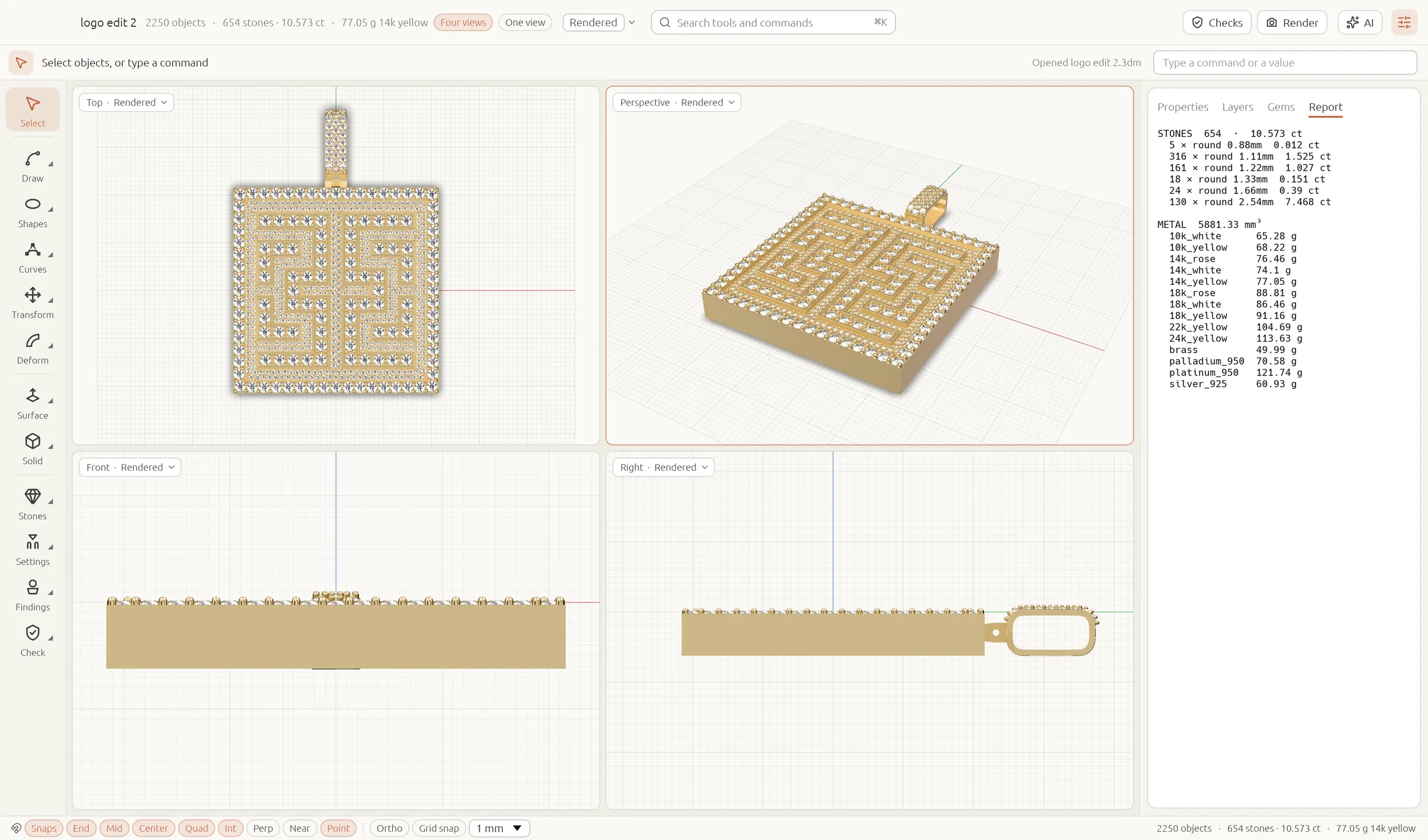
Side by side
JewelryCG Modeler vs Blender
 JewelryCG ModelerBlender
- Made for
- Modeler: Jewelry design, from first curve to casting file
- Blender: General 3D: modeling, animation and rendering
- Price
- Modeler: Free download
- Blender: Free (and the JewelCraft add-on is free)
- Runs on
- Modeler: Mac (macOS 15 or later, Apple silicon); Windows and Linux are coming
- Blender: Windows, Mac and Linux
- Jewelry tools
- Modeler: Built in: pavé that fills a face, stones by hand, prongs, heads, bezels, halos, channels, cup rows and bails, all following their stones
- Blender: With the free JewelCraft add-on: gems, prongs, cutters and weight
- AI
- Modeler: Built-in assistant (your Claude login, or an Anthropic, OpenAI or Google key) and an MCP server for AI agents
- Blender: Not built in
- Files
- Modeler: Opens and saves .3dm; exports STL for casting
- Blender: Meshes; exports STL and OBJ
- Reports and checks
- Modeler: Live stone, carat and metal weight report; casting checks for closed metal, stones held, bail swing and thin walls
- Blender: Through add-ons
- Rendering
- Modeler: Built in: metal, stones, shadow, glossy floor and turntables
- Blender: Built in (Cycles and Eevee)
Facts about Blender checked October 2026; see the sources below.
Why Modeler
Why designers choose Modeler
NURBS precision
Exact curves, surfaces and solids, where Blender models with meshes.
Made only for jewelry
Pavé that fills a face, settings that follow their stones, ring sizes and casting checks are built in.
.3dm files
Open and save Rhino's format, shared by most jewelry CAD studios.
AI assistant
Ask for changes in plain words while you model.
Fair to say
Where Blender is stronger
- Free and open source, with a huge community and countless tutorials.
- Excellent rendering and animation.
- Runs on Windows, Mac and Linux.
Moving over
Switching from Blender
Blender works in meshes; Modeler opens .3dm files, so bring pieces over through a format both read, or rebuild them with Modeler's tools.
Version 1.0.9 · 36 MB · macOS 15 or later, Apple silicon
Questions
Blender and Modeler
With the free JewelCraft add-on, Blender handles gems, prongs and cutters. It models with meshes rather than precise NURBS surfaces, which many casting workflows prefer.
Modeler is a free download for Mac.
Other comparisons
- Rhino 8 alternative
- MatrixGold alternative
- RhinoGold alternative
- 3Design alternative
- JewelCAD Pro alternative
- ZBrush alternative
- Pencil alternative
Sources
Blender is a trademark of its owner. JewelryCG is not affiliated with Blender Foundation. Facts checked October 2026; prices and features change, so confirm with the vendor.
Get JewelryCG Modeler
Free for Mac. It updates itself when a new version is out.
Version 1.0.9 · 36 MB · macOS 15 or later, Apple silicon