
A Pencil alternative for jewelry design
Pencil is a web-based jewelry design and sales platform: an AI design agent for people who do not use CAD, and ring and pendant builders that jewelers embed on their websites. JewelryCG Modeler is a free jewelry CAD app for Mac with jewelry tools, casting checks and an AI assistant built in. Here is how the two compare.
Version 1.0.9 · 36 MB · macOS 15 or later, Apple silicon
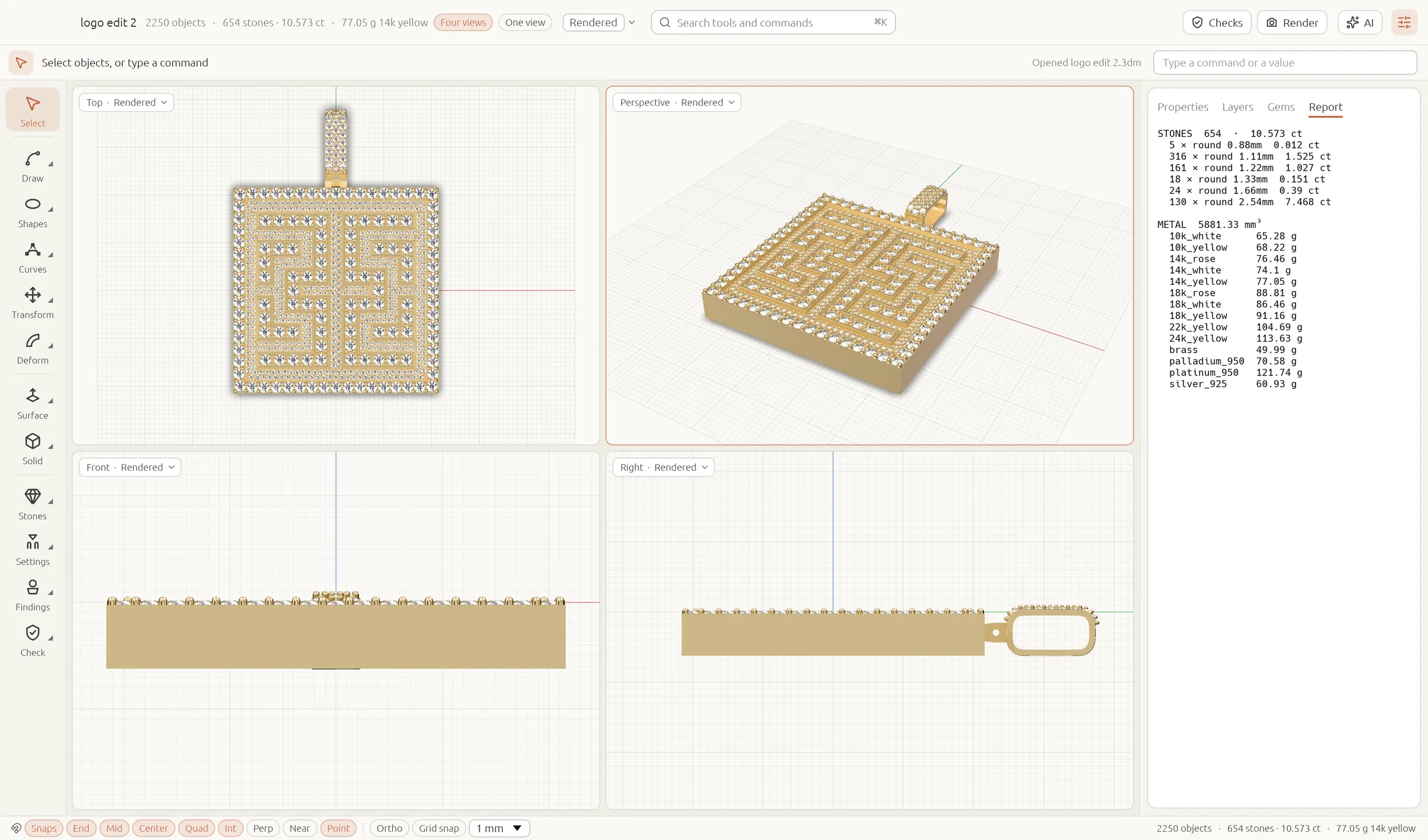
Side by side
JewelryCG Modeler vs Pencil
 JewelryCG ModelerPencil
- Made for
- Modeler: Jewelry design, from first curve to casting file
- Pencil: Designing and selling custom jewelry online, without CAD skills
- Price
- Modeler: Free download
- Pencil: Free to start; its Shopify builder apps are US$199 or US$499 a month
- Runs on
- Modeler: Mac (macOS 15 or later, Apple silicon); Windows and Linux are coming
- Pencil: Web app
- Jewelry tools
- Modeler: Built in: pavé that fills a face, stones by hand, prongs, heads, bezels, halos, channels, cup rows and bails, all following their stones
- Pencil: AI design agent and configurable ring, pendant and nameplate builders
- AI
- Modeler: Built-in assistant (your Claude login, or an Anthropic, OpenAI or Google key) and an MCP server for AI agents
- Pencil: An AI design agent at its core
- Files
- Modeler: Opens and saves .3dm; exports STL for casting
- Pencil: Production CAD files for casting
- Reports and checks
- Modeler: Live stone, carat and metal weight report; casting checks for closed metal, stones held, bail swing and thin walls
- Pencil: Settings such as prong diameters and minimum band widths
- Rendering
- Modeler: Built in: metal, stones, shadow, glossy floor and turntables
- Pencil: Built in
Facts about Pencil checked October 2026; see the sources below.
Why Modeler
Why designers choose Modeler
A full CAD modeler
Draw and edit any shape in four views, with curves, surfaces, solids and deformers, not only configurations of templates.
AI and hands-on modeling together
Ask the assistant for a change, then refine it yourself with the same tools.
Your own files
Every piece is a .3dm file on your Mac that you can open in other CAD software.
Free download
No subscription to start designing.
Fair to say
Where Pencil is stronger
- Built for selling: configurators on your website, lead capture and shoppable made-to-order products.
- Nothing to install, and no CAD experience needed.
Moving over
Switching from Pencil
Use Pencil to sell configurable designs online, and Modeler to design and finish pieces in full CAD.
Version 1.0.9 · 36 MB · macOS 15 or later, Apple silicon
Questions
Pencil and Modeler
Pencil is a web platform with an AI design agent and jewelry builders for websites. Modeler is a desktop CAD app where you model every part yourself or with its AI assistant.
Yes. Modeler has an AI assistant in the app that makes changes with the same tools you use, and an MCP server for AI agents.
Other comparisons
- Rhino 8 alternative
- MatrixGold alternative
- RhinoGold alternative
- 3Design alternative
- JewelCAD Pro alternative
- ZBrush alternative
- Blender alternative
Sources
Pencil is a trademark of its owner. JewelryCG is not affiliated with Pencil. Facts checked October 2026; prices and features change, so confirm with the vendor.
Get JewelryCG Modeler
Free for Mac. It updates itself when a new version is out.
Version 1.0.9 · 36 MB · macOS 15 or later, Apple silicon