
A ZBrush alternative for jewelry design
ZBrush is a digital sculpting program used for organic jewelry, figures and texture, sold by subscription. JewelryCG Modeler is a free jewelry CAD app for Mac with jewelry tools, casting checks and an AI assistant built in. Here is how the two compare.
Version 1.0.9 · 36 MB · macOS 15 or later, Apple silicon
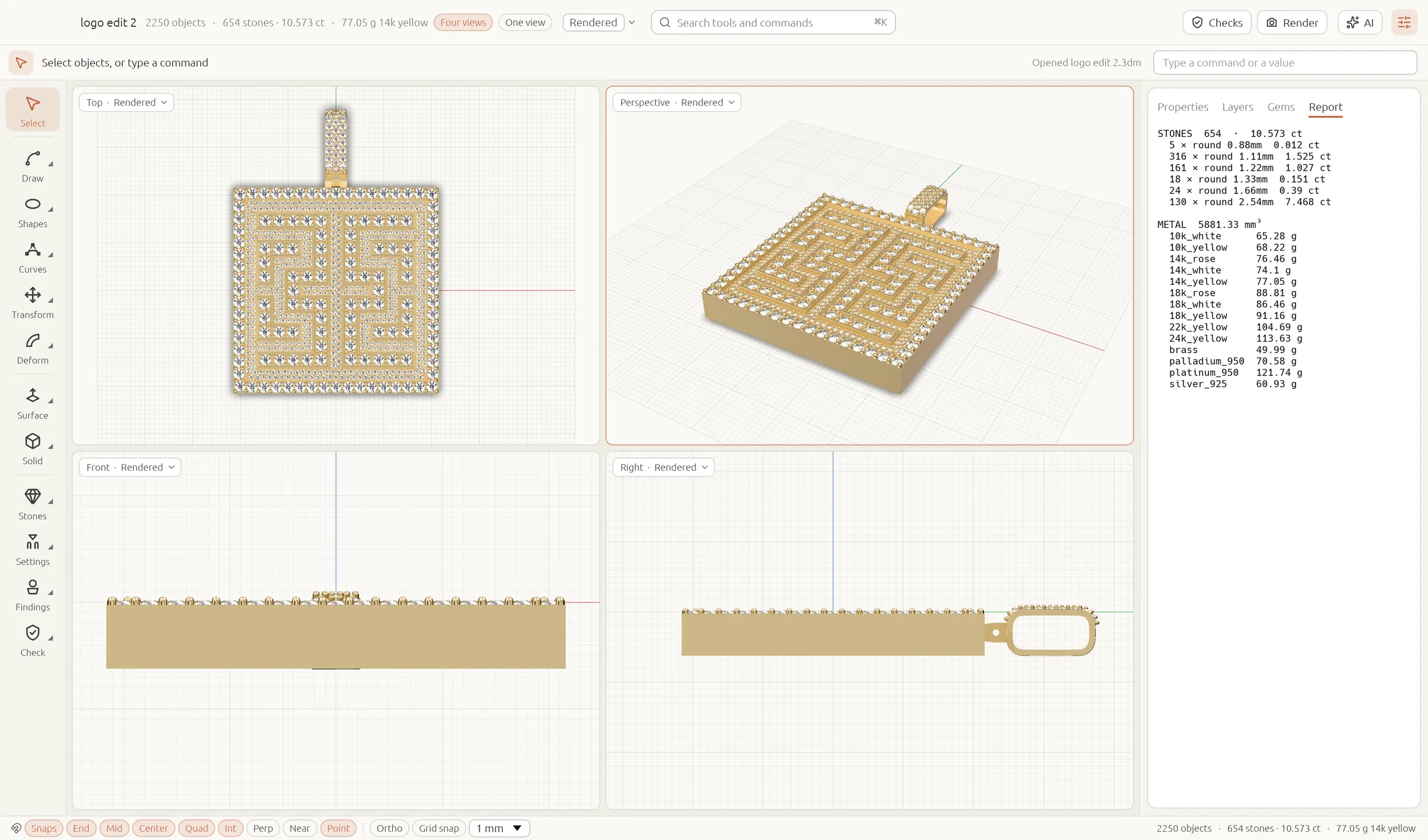
Side by side
JewelryCG Modeler vs ZBrush
 JewelryCG ModelerZBrush
- Made for
- Modeler: Jewelry design, from first curve to casting file
- ZBrush: Freeform digital sculpting
- Price
- Modeler: Free download
- ZBrush: Subscription, US$49 a month or US$399 a year
- Runs on
- Modeler: Mac (macOS 15 or later, Apple silicon); Windows and Linux are coming
- ZBrush: Windows, Mac and iPad
- Jewelry tools
- Modeler: Built in: pavé that fills a face, stones by hand, prongs, heads, bezels, halos, channels, cup rows and bails, all following their stones
- ZBrush: Not built in (no stone or setting tools)
- AI
- Modeler: Built-in assistant (your Claude login, or an Anthropic, OpenAI or Google key) and an MCP server for AI agents
- ZBrush: Not built in
- Files
- Modeler: Opens and saves .3dm; exports STL for casting
- ZBrush: Meshes (exports STL and OBJ)
- Reports and checks
- Modeler: Live stone, carat and metal weight report; casting checks for closed metal, stones held, bail swing and thin walls
- ZBrush: General mesh tools
- Rendering
- Modeler: Built in: metal, stones, shadow, glossy floor and turntables
- ZBrush: Built in
Facts about ZBrush checked October 2026; see the sources below.
Why Modeler
Why designers choose Modeler
Precise, measured CAD
Exact curves, surfaces and solids to the hundredth of a millimetre, where sculpting is by eye.
Stones and settings
Pavé, prongs, heads and bezels with stones counted and carats estimated.
Casting-ready
Casting checks and a watertight STL with every seat cut.
Free download
No subscription.
Fair to say
Where ZBrush is stronger
- Unmatched for organic, sculpted detail: faces, figures, textures and engraving-like relief.
- Runs on Windows, Mac and iPad.
Moving over
Switching from ZBrush
Many designers use both: sculpt organic elements in ZBrush, and build the precise metal, stones and settings in CAD.
Version 1.0.9 · 36 MB · macOS 15 or later, Apple silicon
Questions
ZBrush and Modeler
ZBrush excels at sculpted, organic jewelry. It has no stone or setting tools, so precise parts and stone layouts are usually built in CAD.
ZBrush is sold by subscription, reported at US$49 a month or US$399 a year (checked October 2026). Modeler is a free download.
Other comparisons
- Rhino 8 alternative
- MatrixGold alternative
- RhinoGold alternative
- 3Design alternative
- JewelCAD Pro alternative
- Blender alternative
- Pencil alternative
Sources
ZBrush is a trademark of its owner. JewelryCG is not affiliated with Maxon. Facts checked October 2026; prices and features change, so confirm with the vendor.
Get JewelryCG Modeler
Free for Mac. It updates itself when a new version is out.
Version 1.0.9 · 36 MB · macOS 15 or later, Apple silicon